Debug OTA Firmware Update Issues
This guide covers common OTA failure scenarios and how to diagnose them from both the device log and the RainMaker Dashboard.
Step 1: Check the Device-Side Log
Common failure messages and their causes:
| Log Message | Cause & Action |
|---|---|
Dynamic Impl: alloc(16749 bytes) failed | Insufficient memory. Refer to memory optimization guidance. |
***ERROR*** A stack overflow in task sys_evt has been detected. | System event task stack overflow. Increase the stack size by raising CONFIG_ESP_SYSTEM_EVENT_TASK_STACK_SIZE (e.g., by 1–2 KB). |
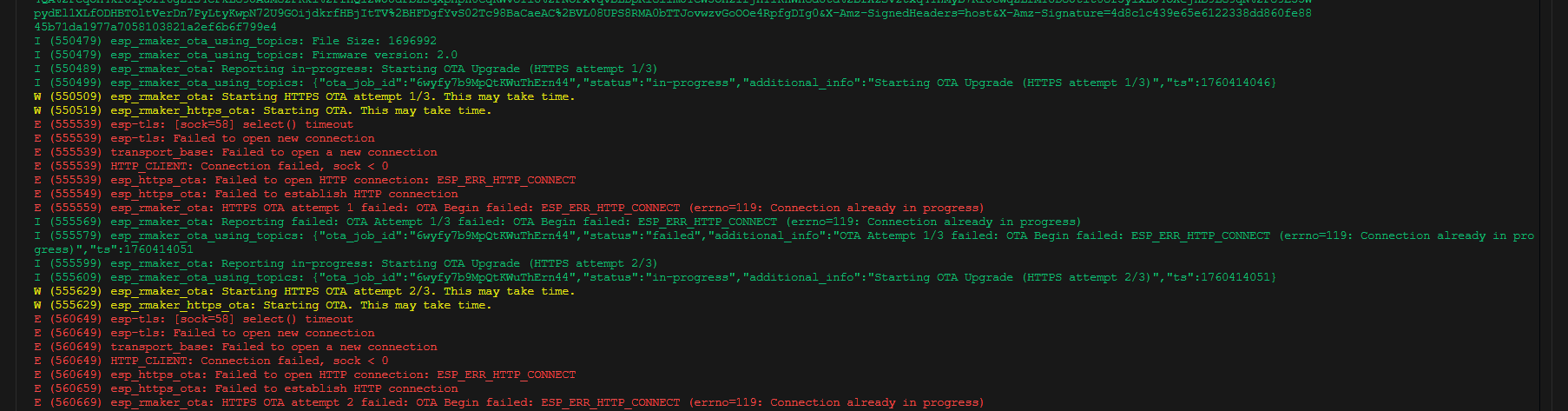
esp-tls: [socket=58] select timeout | TCP connection timeout to the HTTP OTA server. Check whether the network requires a proxy or VPN to reach the firmware server. If unavailable, switch to MQTT OTA. |
esp_rmaker_ota: Current running version is same as the new. We will not continue the update. | The running firmware version matches the OTA firmware version. Confirm whether the device has already been updated and verify the correct OTA firmware was uploaded. |
Network connectivity issue during OTA
Step 2: Check the OTA Job Status on the Dashboard
Go to OTA Jobs in the left navigation bar, click the job name, find the failed device in Node List, and click to view details. Common failure states:
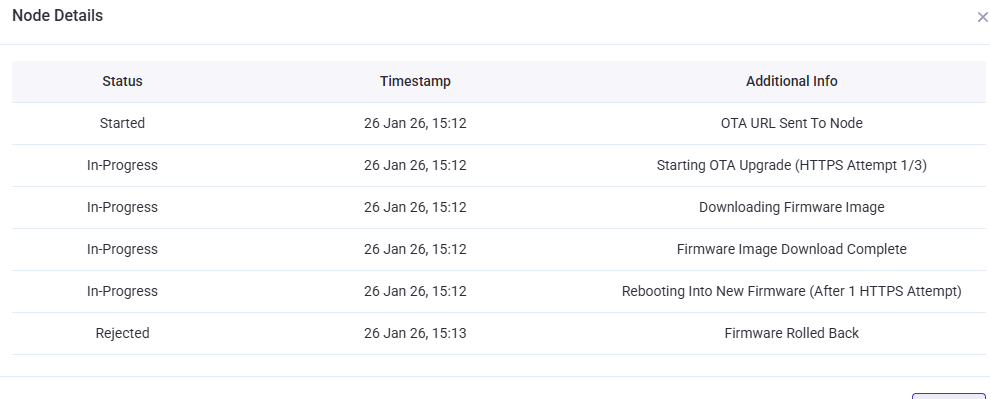
Device Rolled Back After Flashing
The new firmware flashed and booted successfully, but failed to connect to Wi-Fi or the RainMaker cloud within 60 seconds, triggering an automatic rollback.
Action: Investigate whether the new firmware crashes or has network connectivity issues.
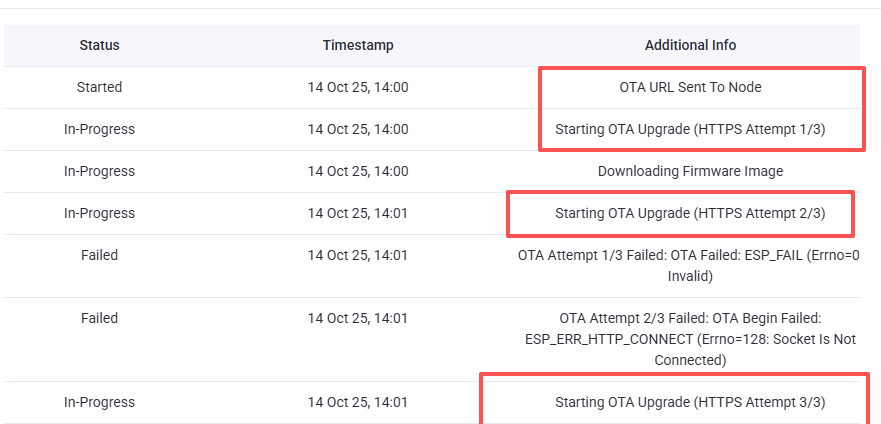
Firmware Download Incomplete
The download timed out or failed midway, likely due to network instability or insufficient memory.
Action: Check network stability, device proximity to the router, and whether memory allocation failure logs (alloc ... failed) are present.
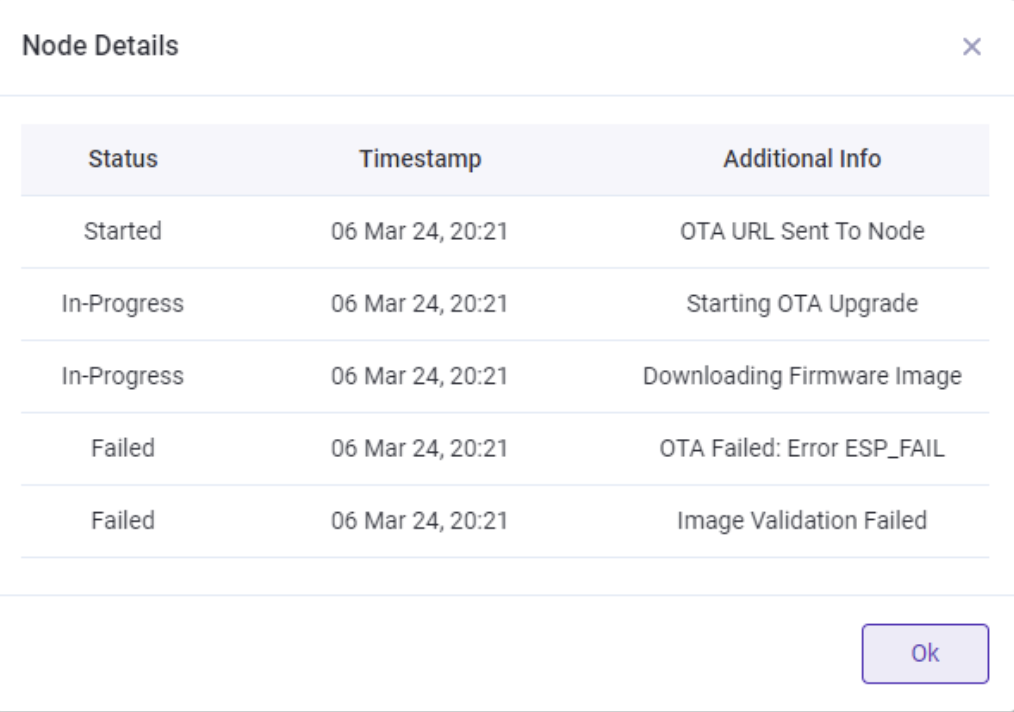
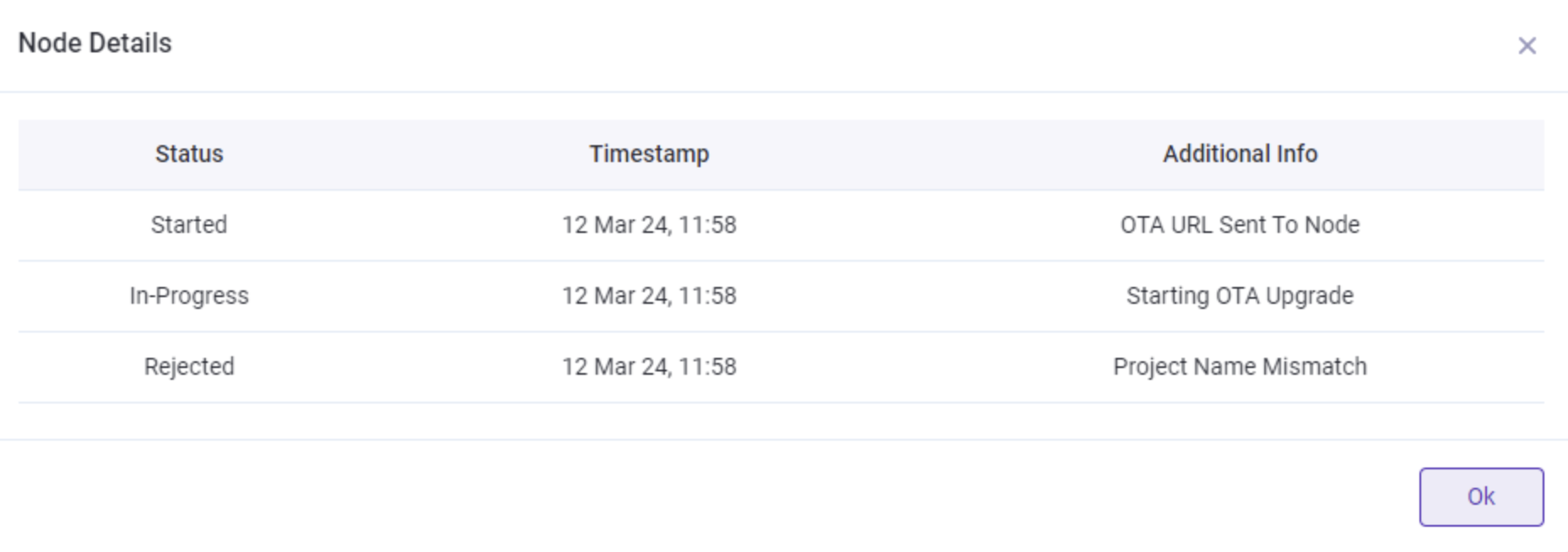
Project Name Mismatch
The running firmware and OTA firmware belong to different projects. The device performs a project name check by default.
Action: Verify both firmware images share the same project name, or disable the check via CONFIG_ESP_RMAKER_SKIP_PROJECT_NAME_CHECK.